
From Paper Plans to Clear Action
Facility teams, contractors, and project managers need quick access to accurate site information. However, many organizations still store records in multiple locations. Some plans are stored on paper in a dark basement. Some are saved in PDFs, CAD files, or GIS systems. Others live only in the memory of the one employee who knows the site best until that employee retires or leaves.
When that happens, teams can find themselves without the answers they need. Work slows down, details get missed, and schedules can fall behind. SiteMap® 3.0 solves this problem. It gives your team one place to access site information, share updates, plan work, and stay aligned.
This update also gives clients more control inside the platform. SiteMap has always been a strong way to access and view GPRS deliverables, including 99.8% accurate utility data.
Now it does more. SiteMap 3.0 helps users markup maps, customize features, filter job history, submit service requests, and even visualize located utilities through augmented reality in the field. Each new feature can help you plan, manage, and build better.
What Is SiteMap 3.0
SiteMap 3.0 is the third major update to the platform, which took place in February. The new features come from listening to users to learn how they store records, communicate dig plans, and manage work across sites. Direct customer involvement has empowered GPRS to solve real customer problems – problems the company could not have known needed a software solution, otherwise.
At a high level, SiteMap 3.0 helps centralize site records and make them easier to use.
The platform supports various features, including:
- Historical GPRS locate data
- Utility layers
- Drone imagery
- CADD imports
- Geolocated floor plans
- Emergency evacuation routes
- Reality capture
- Sewer inspection records
Which mean users can rely on a single source of truth in a secure system instead of jumping between multiple files and tools.
Augmented Reality Helps Teams See More in the Field
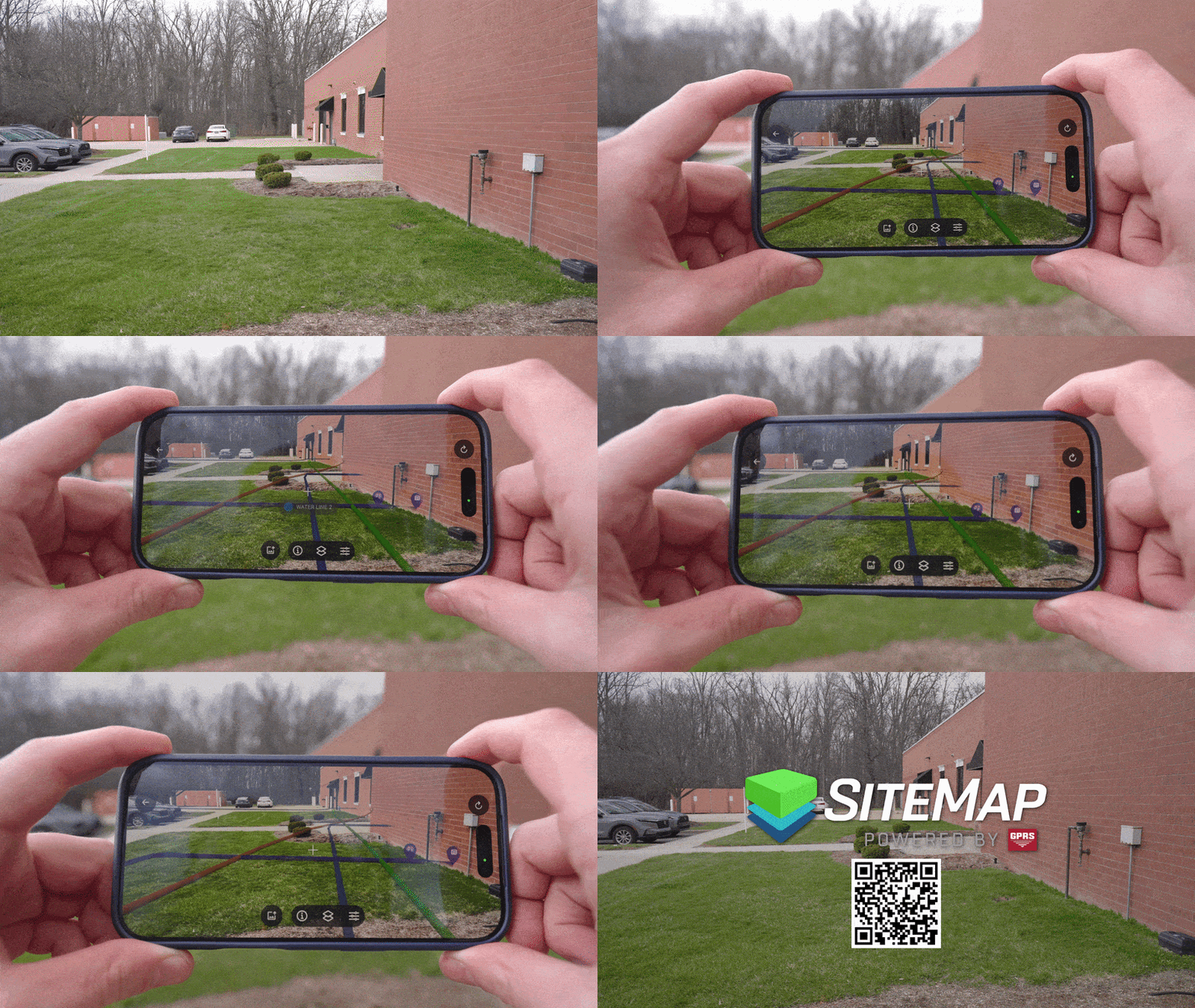
Walk your site and see GPRS‑verified underground utilities displayed in their real‑world location. This keeps key information clear and stops it from getting lost in paper plans.
The mobile app introduces one of the biggest new features in SiteMap 3.0, augmented reality. This feature lets you stand on-site with a phone or tablet and view your utility information in the real world. You can reference points on the map to see utility lines and point features appear at the surface through the device.
Why does SiteMap Mobile’s AR feature matter? Because paint marks fade and flags do not last. Weather changes. Snow covers marks. Traffic moves through the area. Equipment runs over flags. A locate that was easy to read one day may be gone a week later. Augmented reality removes the risk of lost surface markings and flags by showing information even after surface marks disappear. It turns underground utility mapping software into a more visual and practical field tool.
For users, the benefit is simple – better field awareness. Teams can use the mobile app during a pre-dig meeting, before potholing, trenching, or during a site walk. You can hover over features and identify what they are, such as irrigation or communication lines. Having RTK-positioned AR utility visualizations helps you reduce guesswork and supports safer planning. It also helps teams working in busy areas where several utilities cross the same space. A clearer view of the underground can lead to faster decisions and fewer mistakes.
What you see in the AR feature is seeing verified information collected by GPRS Project Managers on site with 99.8% accuracy. Future updates may expand the display options in augmented reality, including more advanced three-dimensional views.
My Dig Board Gives You a Way to Add Your Own Plan
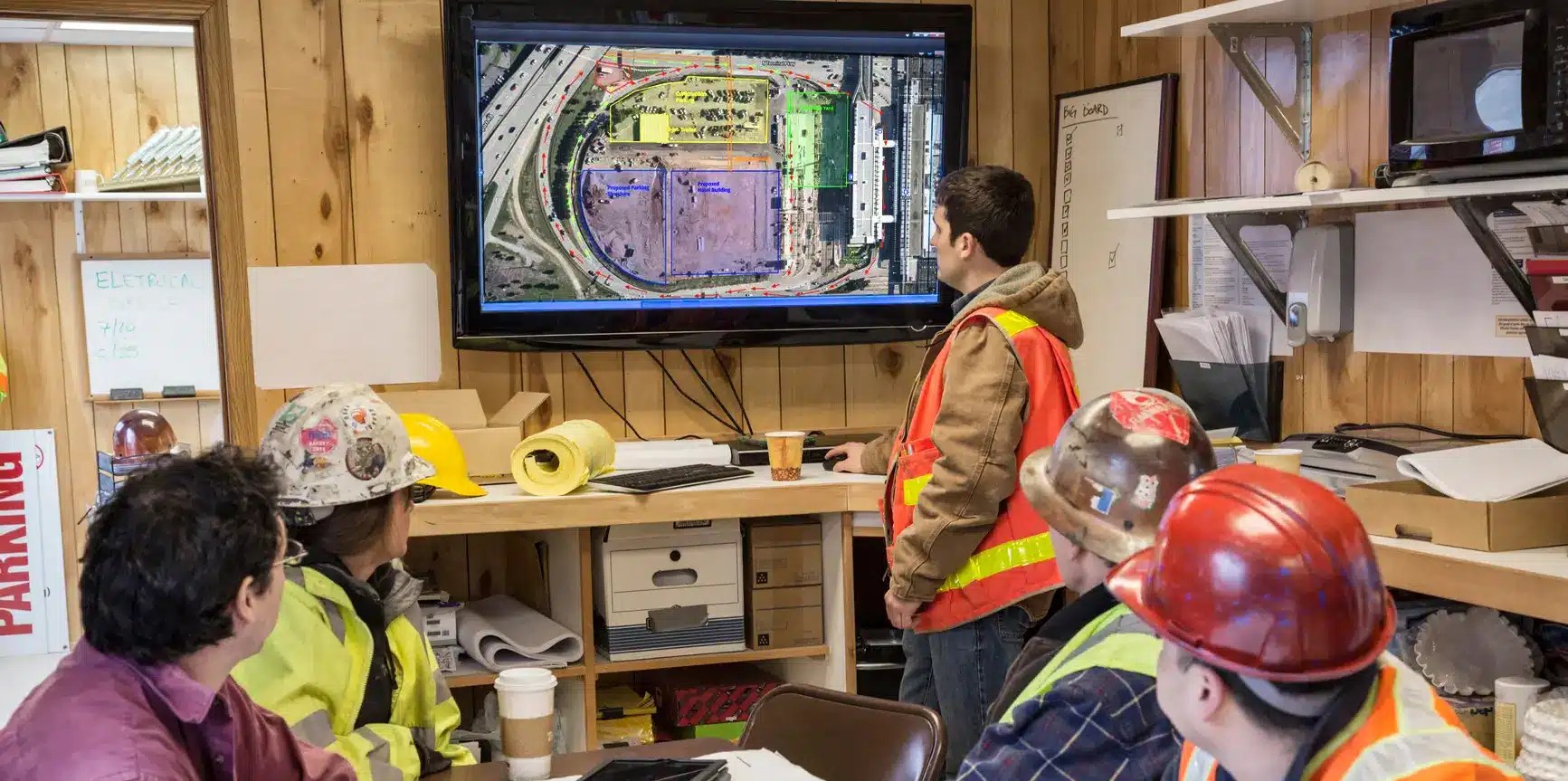
A digital jobsite whiteboard to mark and color code work areas, add labels and notes, and share updates with your crew. When plans change in the field, you can update My Dig Board, so your entire team sees the same plan, wherever they are.
My Dig Board is another major feature in SiteMap 3.0. It works like a digital whiteboard for your team. You can use it in the trailer while you plan the job. Then that same plan travels with you into the field. This tool lets users create their own markups inside the platform. Clients can draw polygons, place arrows, add text, and build quick visual plans directly on the map. You can mark a delivery area, call out a drop zone, identify a staging space, or show where traffic barricades should go.
Before this update, SiteMap focused on collecting and displaying GPRS data. My Dig Board changes that. Now clients can interact with the map in a more active way. You can use it to do more than just view information. You can add context to it. That is a big step forward for communication. Many teams still share planning notes through email, paper sketches, or separate files. My Dig Board keeps that planning organized and on-site, 24/7.
This is especially useful for facility managers and project teams who need to explain where work will happen. A building map becomes more helpful when it includes planned use areas. A facility map becomes easier to act on when a team can mark where equipment should go, where deliveries should arrive, or where access needs to stay clear. Because the board lives inside SiteMap, it is not stuck in one place. It goes wherever your work goes. That means the crew can open and use the same plan you built in the trailer on-site when they need it most.
It also helps teams stay aligned when plans change. If someone makes an update in the field, the rest of the team can see that update in the platform. Everyone stays on the same page without chasing screenshots or old notes. You can save boards, group them by site or project, and share them with others on the same subscription. This is the first version of a larger tool that will grow in future updates. Even now, it gives clients a stronger way to plan, communicate, and manage work inside the platform.
Customer Self-Service Form Makes It Easier to Request Work
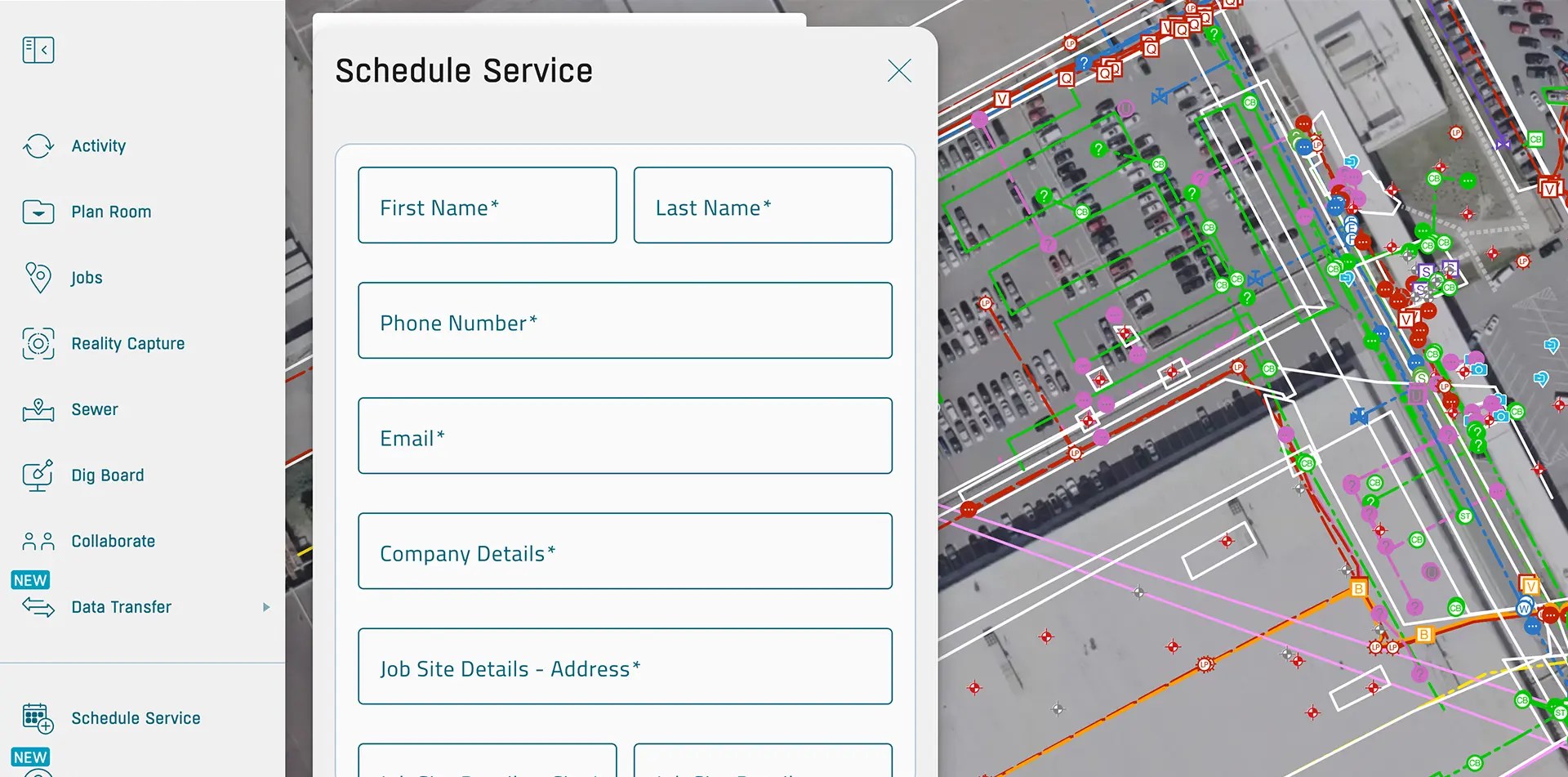
Request additional services in SiteMap, so your team gets what they need without the back and forth.
One of the most useful workflow updates in SiteMap 3.0 is the customer self-service form. This feature lets you request GPRS services directly inside the platform. Open the form, enter job details, draw a job area, select a service, add notes, and submit the request. That information then goes to the project coordination team for follow-up and scheduling.
This changes SiteMap from a one-way delivery platform into a two-way working platform. Instead of calling, emailing, or trying to explain a site area with a long-written scope, you can mark the area on the map. That makes the request clearer from the start. It also helps the GPRS team respond faster because the needed location and service details are already attached to the request.
For customers, the benefit is convenience. It is faster to order utility locating, concrete scanning, reality capture, video pipe inspection, or other services when the request starts in the same place as the records. This keeps the workflow connected. You can move from viewing the site to acting without leaving the platform. That is a strong value for teams that want a simpler path from planning to execution.
Feature Name Customization Makes the Map Easier to Understand
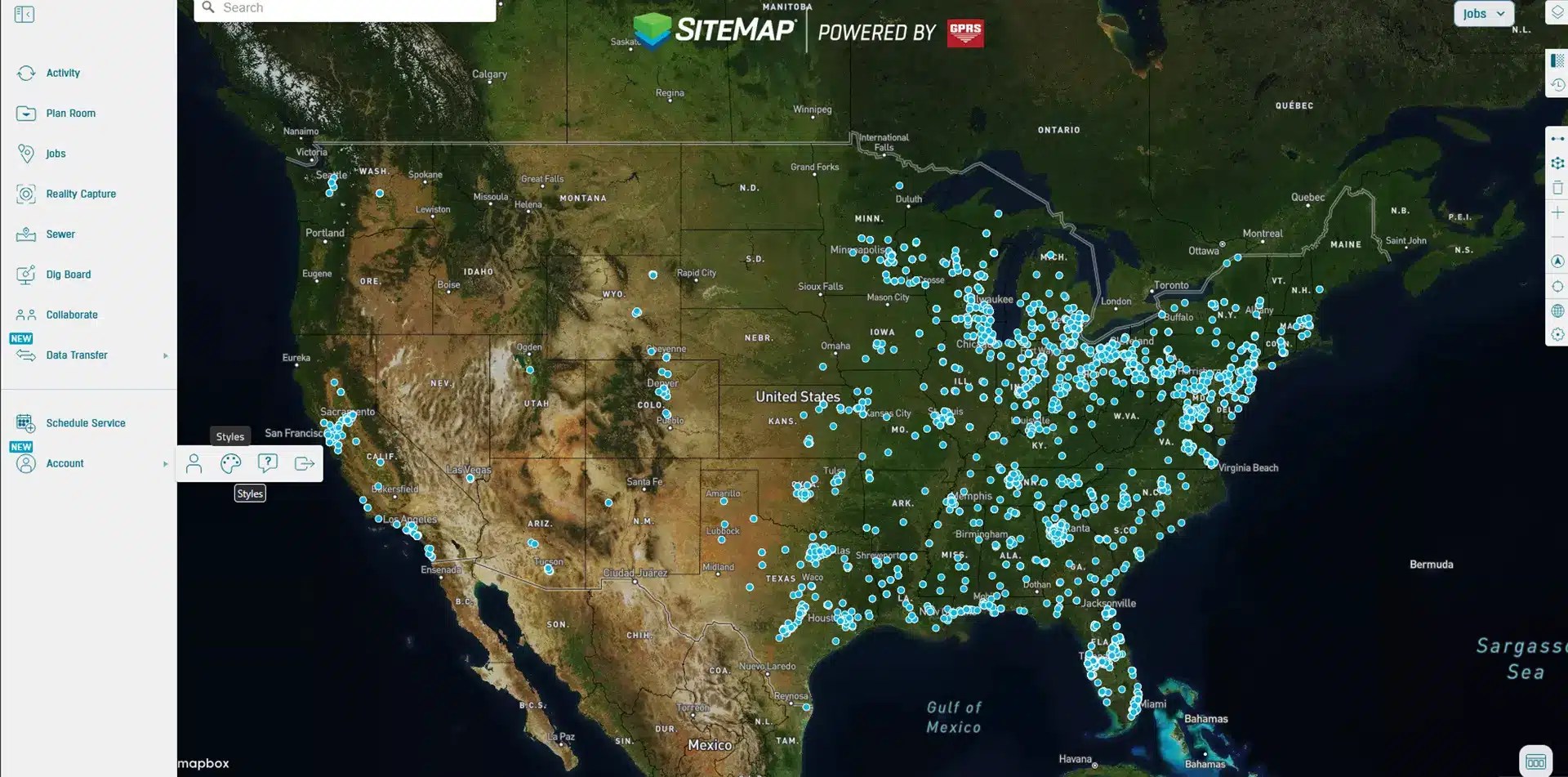
SiteMap 3.0 now lets subscribers rename mapped features. This gives you more control over how your site data appears on the platform.
You can open a feature and assign a name that fits your site. A light pole can be labeled with the internal asset name that your team already uses. A power source can be renamed to match site records. This helps remove confusion and supports communication. When the map uses the same language your team uses, it is easier to understand, share, and act on.
Most teams do not want to learn a new naming system. They want the map to fit the way they already manage their assets. SiteMap 3.0 moves in that direction. It molds to the way your team already works, so you can move faster and keep your records clear.
Style Customization Helps Users Build a Clearer Facility Map
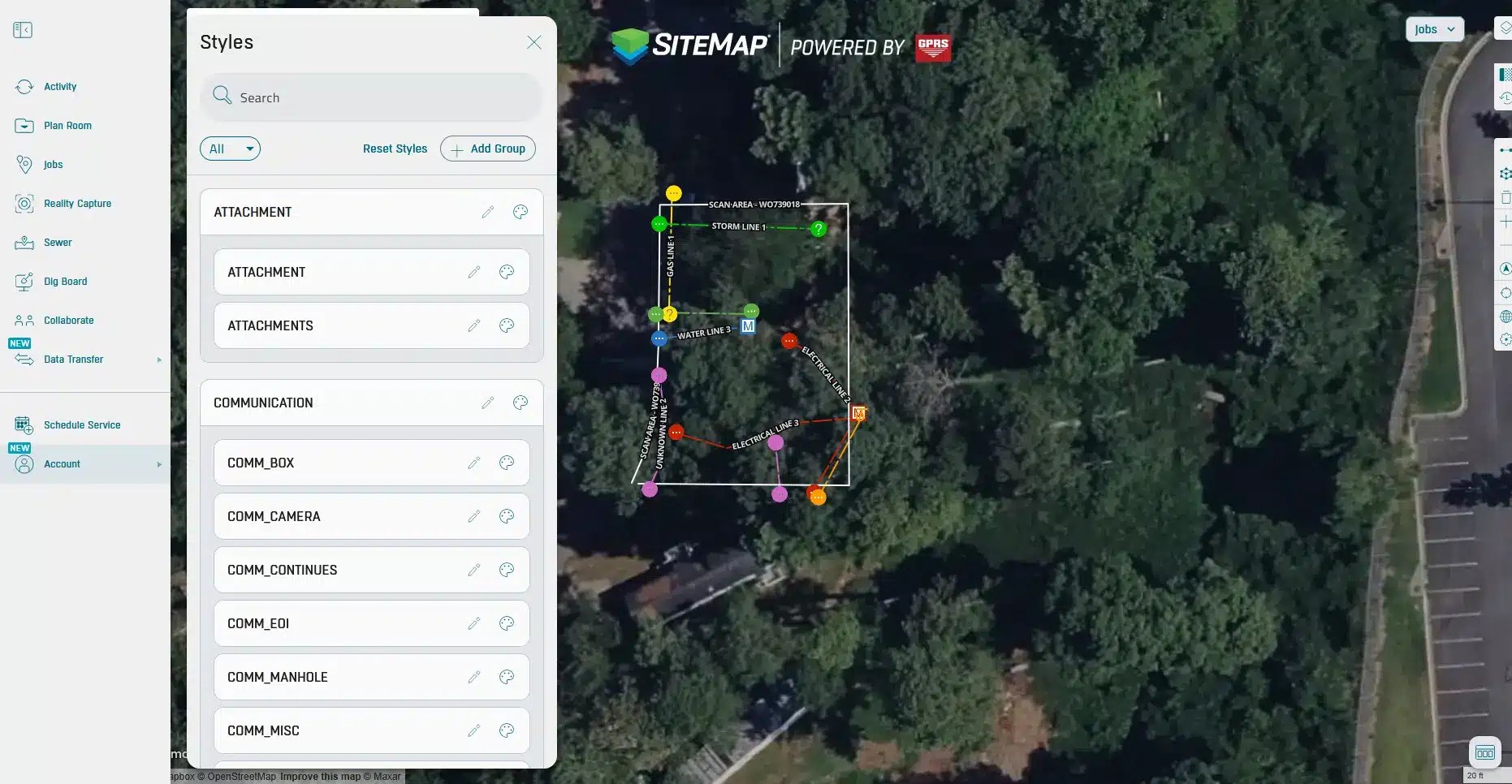
Your crew already has names for everything on site. This feature lets your maps speak the same language. So, communication remains clear and consistent.
Along with feature renaming, SiteMap 3.0 lets you change colors, line styles, and line thicknesses. This gives you more control over map appearance across your account. You can update stylization for mapped features and apply those changes within the subscription. That means the map can match the way you want to view and organize site data.
This matters because visual clarity is a big part of good record management. A map that is hard to read is hard to use. You may want certain utilities to stand out more. Or want thicker lines for planning meetings. Maybe you want feature colors to match the way your team already thinks about the site. SiteMap 3.0 makes those changes possible, which helps create a clearer facility map.
For teams working across many records and layers, customization can also reduce mistakes. When the most important features stand out, people spend less time hunting for the right detail. This is one more way SiteMap 3.0 supports better decisions.
History Slider Makes Older Work Easier to Find
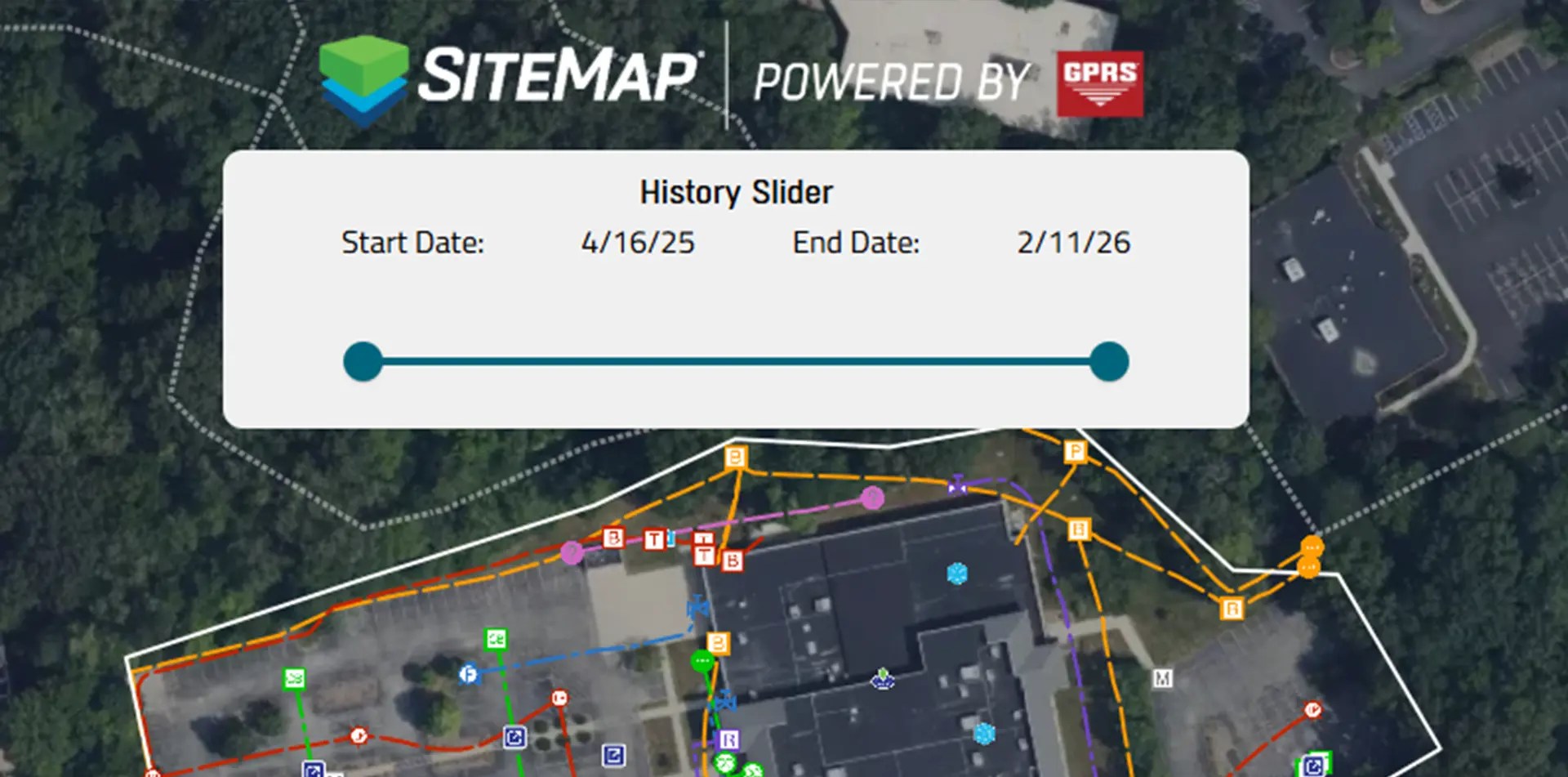
Scroll through past data to spot duplicates and see how your site has changed over time.
The new history slider lets you filter mapped projects by date range. You can isolate work from a specific year or view older projects by moving the slider to the right date window. Since the platform includes records going back to 2021, this is a helpful way to manage a growing project history.
This feature is important because site records expand over time. You may need to review only recent work before a new project starts. Another team may want to find the oldest locates on a campus to understand what has changed. Without a filter, the full map can feel crowded. The history slider gives you a faster path to the records that matter for the task at hand.
The value is speed and control. A construction site map should not force you to sort through every project at once. It should help you focus. The history slider does that. It supports audits, planning, and record checks by making the timeline of site work easier to see. That helps teams stay organized and better understand how a site has changed over time.
Why SiteMap 3.0 Matters for Clients
SiteMap 3.0 brings records, planning, communication, and action into one place. You can centralize utility records, view a more interactive facility map, build your own markups, customize features, filter job history, and request new services without switching systems. That creates a better user experience and supports stronger decisions across the life of a jobsite.
This matters for facility teams because scattered records create risk. It matters for contractors because unclear information slows work down. It matters for owners because delays and confusion cost money. SiteMap 3.0 helps solve those problems with features that are simple to use and built around real client feedback. Whether you need a building map for interior records, an underground utility mapping software platform for subsurface data, or a construction site map for field planning, SiteMap 3.0 gives you a connected way to manage the job.
SiteMap 3.0 helps turn site data into clear, useful information that your team can act on every day.
Click below to see these NEW features in action!
FREQUENTLY ASKED QUESTIONS
How do I export data from SiteMap?
Exporting is simple. From your Digital Plan Room or Map Viewer, you can download files in formats like DWG, PDF, or orthophotos. This lets you take interactive maps and records from SiteMap into CAD, GIS, or other software without disrupting your workflow.
Can SiteMap scale as my portfolio grows?
Yes. SiteMap was created to accommodate scalability. Whether you oversee a single facility or a nationwide portfolio, the platform merges your data into one interactive system. You can keep adding new projects using the same workflow. This lets you expand without changing your process.
How secure are my records in SiteMap?
SiteMap uses a cloud-based setup with controlled access permissions, so your data stays safe and recoverable. All files, maps, and attachments are stored in one central location. This makes collaboration simple and cuts the risk of losing data.