
SiteMap® Transforms Utility Scans into Actionable Records
GPRS’ 99.8% accurate underground utility scans equipped an electrical substation in Austin, Texas, with the necessary confidence to conduct a safe excavation on site.
S&K Electrical was preparing to install a new communications tower. They contacted GPRS to help ensure the work could move forward safely while avoiding existing underground utilities and unreliable records.
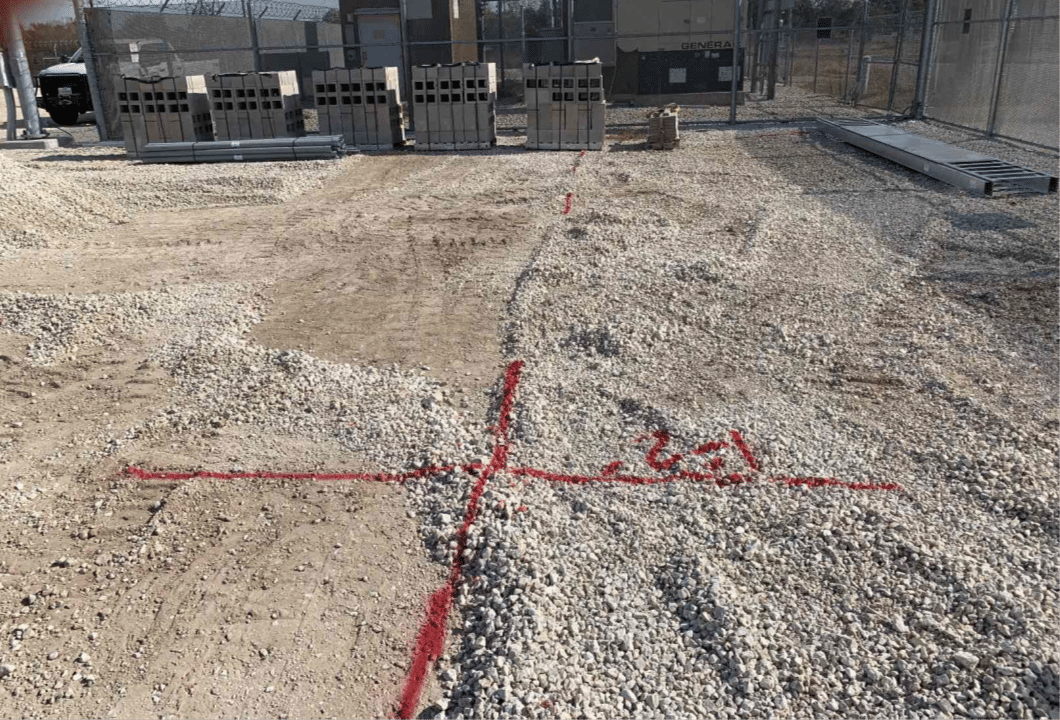
Striking an electrical line or grounding grid during excavation could lead to project delays, widespread power outages, or fatal worker electrocutions.
Project Manager Daniel Reis arrived on-site to deliver accurate utility locations and excavation clearances for the proposed installation area.
Before installation could begin, the team needed to confirm the exact locations and depths of an underground electrical line and the substation’s grounding grid. Without accurate information, the risk of a utility strike during excavation increased significantly.
Although another utility locating provider had supplied initial records for a buried electrical line, S&K Electrical needed verification.
“They had an idea of where it was at, but they wanted to make sure they knew where it was at before they started digging,” Reis explained.
“So, I was able to tell them with certainty, ‘the grounding grid is right here, it crosses here, and here’s the grid pattern.’ That’s pretty much where they figured, but they needed to know for certain what they were dealing with.”
Reis used ground penetrating radar (GPR), electromagnetic (EM) locators, and induction clamps to meet the client’s requests.
Induction clamps help locate power and electrical lines by placing them around a pipe or cable that is grounded at both ends. The clamp creates a frequency that EM locators can detect. This helps project managers locate and determine the depth of underground utilities.
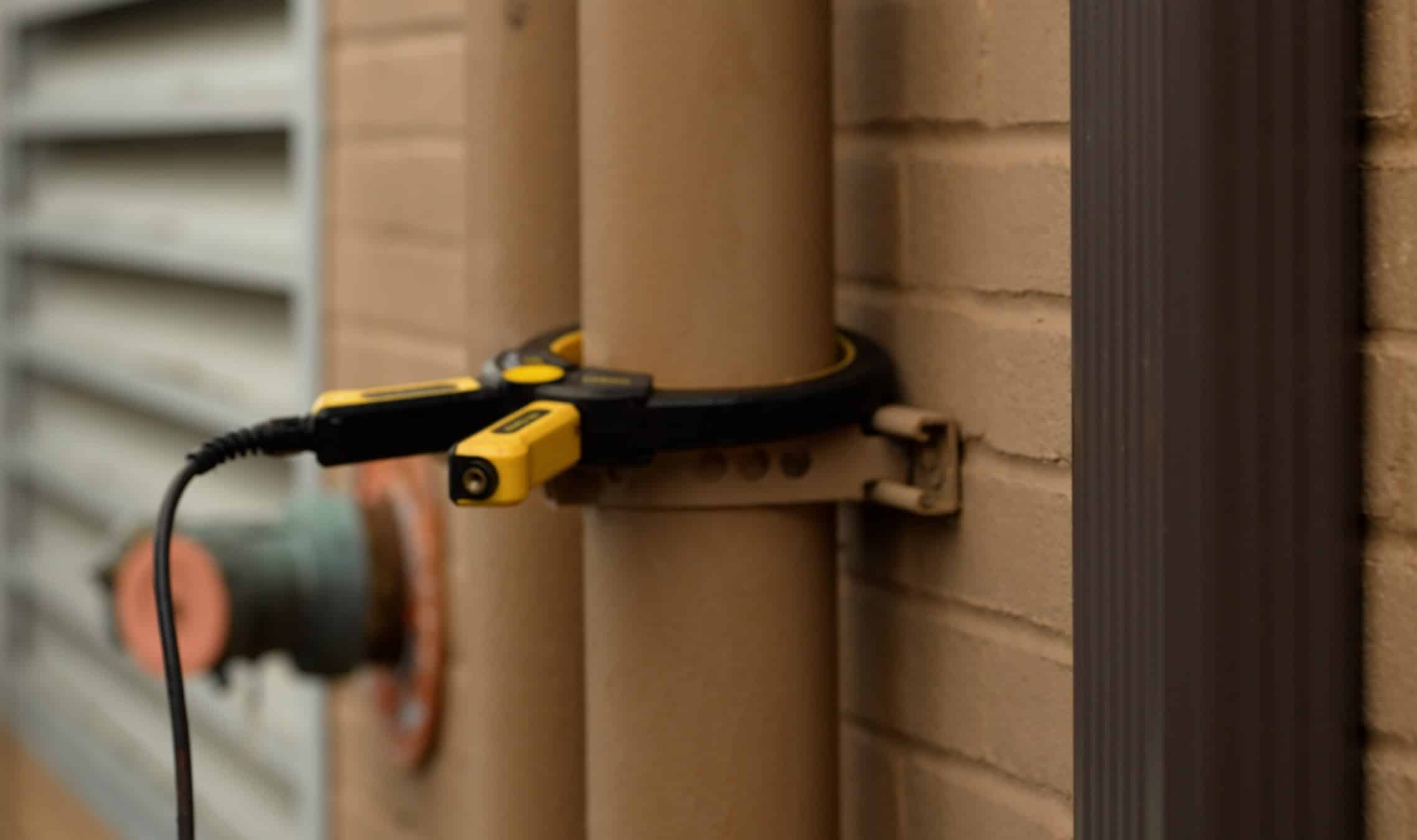
Induction clamps are used regularly by GPRS Project Managers to apply a tracing signal to pipes or conduits.
GPRS Project Managers receive training in Subsurface Investigation Methodology (SIM), which focuses on using multiple technologies together. These solutions create clear and accurate data. You can organize this data into interactive records and share it through SiteMap®.
Reis marked all findings on-site with red spray paint. This included the depths of the subsurface utilities.
Once the scan was complete, Reis walked the site with the client to review the results. He explained where it was safe and unsafe to start excavation.
Because paint markings are temporary, Reis used GPS positioning to create a permanent digital record of the verified utility data. That information is now stored in SiteMap. This gives the client on-demand access to their accurate records. With SiteMap, project teams can move forward with confidence, knowing their utility data is reliable and easy to share.
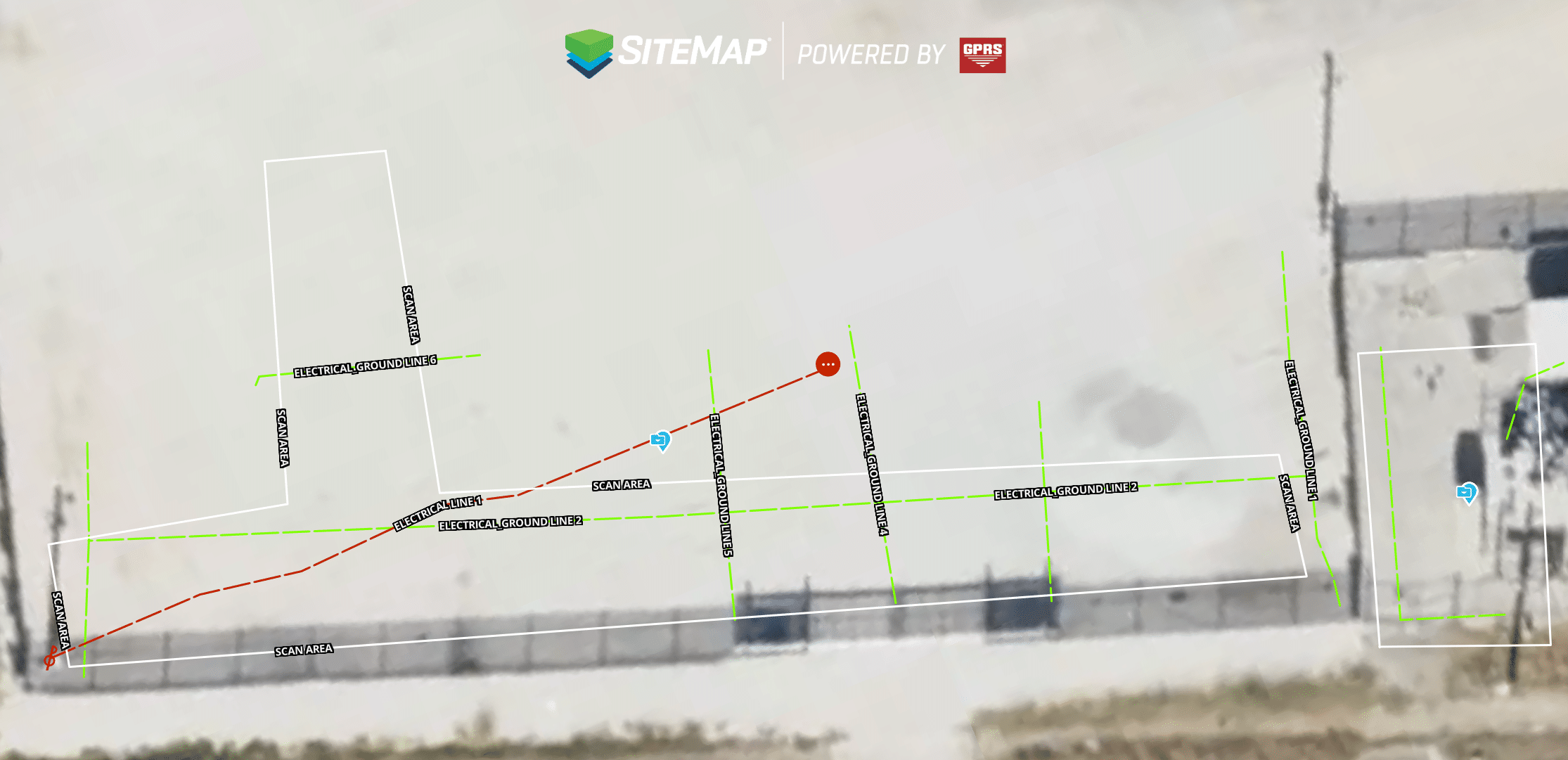
Scan results uploaded to SiteMap® remain easy to access and reference for future projects.
Thanks to Reiss’s accurate and timely results, the client was able to dig with confidence and knows they can rely on the information provided by GPRS.
“They were really pleased that I was able to get out there so quick and get them everything that they needed,” Reiss explained. “Since then, I’ve gotten phone calls directly from them asking me for future locates.”
Click below to schedule your live, personal SiteMap demo today!
FREQUENTLY ASKED QUESTIONS
How do I export data from SiteMap?
Exporting is simple. From your Digital Plan Room or Map Viewer, you can download files in formats like DWG, PDF, or orthophotos. This lets you take interactive maps and records from SiteMap into CAD, GIS, or other software without disrupting your workflow.
Can SiteMap scale as my portfolio grows?
Yes. SiteMap was created to accommodate scalability. Whether you oversee a single facility or a nationwide portfolio, the platform merges your data into one interactive system. You can keep adding new projects using the same workflow. This lets you expand without changing your process.
How secure are my records in SiteMap?
SiteMap uses a cloud-based setup with controlled access permissions, so your data stays safe and recoverable. All files, maps, and attachments are stored in one central location. This makes collaboration simple and cuts the risk of losing data.